
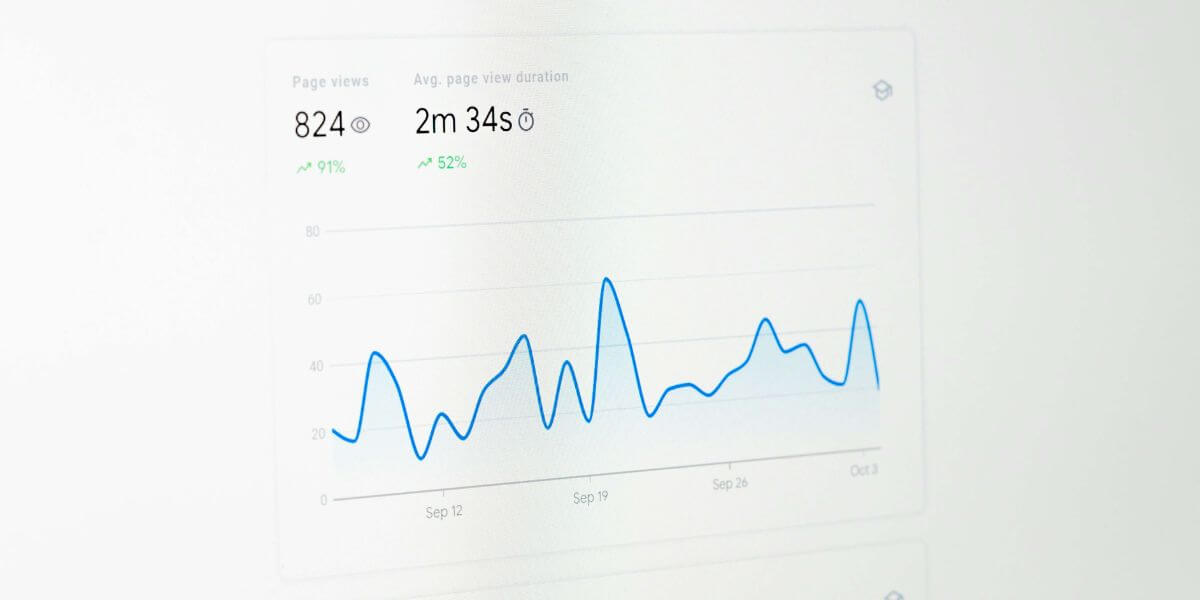
Search webmaster tools are essential for anyone serious about improving their website’s visibility and performance in search engines. These powerful platforms, including Google Search Console, Bing Webmaster Tools, Yandex Webmaster Tools, and others, allow you to monitor organic traffic analysis, identify crawl errors, and optimize your content with actionable insights. By using these tools effectively, you can uncover hidden opportunities, enhance search engine performance, and make informed decisions that boost your site’s rankings.
Whether you’re a small business owner, SEO professional, or curious website manager, understanding how to leverage webmaster tools gives you a competitive edge. From sitemap submission to URL inspections, mastering these platforms ensures your site stays visible, functional, and optimized for every user’s experience.
Introduction to Search Webmaster Tools
Search webmaster tools are platforms provided by search engines to manage websites in search results and optimize SEO. They allow webmasters to verify ownership, submit sitemaps, check indexed pages, and monitor search engine performance. Using these tools, you can troubleshoot indexing errors and gain insights into your website’s overall health.
For USA-based businesses, these tools are invaluable. They provide performance metrics and recommendations & insights on how to improve website ranking. With features like URL submission and crawlability monitoring, even beginners can start content optimization effectively. If you want professional guidance, check out our SEO services at GoTechanic.
How Search Webmaster Tools Help Website Owners
These tools offer organic traffic analysis by tracking click-through rate (CTR), impressions tracking, and ranking monitoring. For example, Google Search Console shows which keywords drive traffic and which pages perform best. Similarly, Bing Webmaster Tools provides keyword- and page-level analysis, crawl requests, and URL inspection.
Beyond analytics, search webmaster tools help website owners identify errors like duplicate title tag issues, missing alt attributes, or indexing issues. Using these insights, you can enhance on-page optimization, fix HTML improvements, and maintain structured data markup for better search visibility.
Google Search Webmaster Tools
Google Search Console, formerly Google Webmaster Tools, is the backbone of SEO management for most websites. It helps monitor website performance, identify crawl errors, and track organic traffic analysis. Businesses in the USA can leverage it to optimize their content for high visibility in Google search results.
Key Features of Google Search Webmaster Tools
The platform provides detailed SEO reports, URL inspection, and backlink monitoring. It also tracks click-through rate (CTR), impressions tracking, and ranking monitoring. The structured data markup tool ensures your content is search-friendly, while HTML improvements highlight missing meta descriptions and title tags.
Recent Updates in Google Webmaster Tools
Google continuously enhances its platform. Recent updates include extended performance metrics, enhanced indexing reports, and recommendations & insights for better SEO. The new features allow subfolder analysis, robots.txt testing, and improved crawl control to prioritize your most important pages.
How to Use Google AdWords Without Paying
Although AdWords is paid, Google provides ways to explore keyword performance for free. By using Google Search Console data, you can conduct keyword research, identify high-traffic queries, and optimize content without spending money on ads. This helps small businesses in the USA boost visibility efficiently. For more advanced tips, visit Google Ads Help.
Bing Webmaster Tools
Bing Webmaster Tools is an underrated but powerful platform. It provides search engine performance insights, indexed pages tracking, and crawlability monitoring. While Bing has a smaller market share than Google, it can drive significant B2B traffic insights and higher conversion rate optimization (CRO).
Adding a Website to Bing Webmaster Tools
You can easily add your website using multiple verification methods. DNS Auto Verification is the quickest. Alternatively, XML file authentication, meta tag authentication, or CNAME record verification can be used to confirm ownership.
Verification Methods
Each method ensures your site is recognized by Bing. The XML file authentication requires uploading a file to your server, while the meta tag authentication involves adding a tag to your homepage. CNAME record verification is another secure approach through your DNS settings.
Search Performance in Bing Webmaster Tools
Bing provides detailed keyword- and page-level analysis, helping webmasters track click-through rate (CTR) and impressions tracking. The recent additions allow crawl requests, detection of indexing issues, and enhanced URL inspection.
URL Inspection, Site Explorer, Sitemaps, URL Submission
Bing’s Site Explorer enables site structure exploration, subfolder analysis, and HTTP header checks. The Sitemap submission feature supports XML, RSS, and Atom formats. With URL submission, you can request automated indexing of new content.
Submitting a Sitemap to Bing
Submitting a sitemap is straightforward. Enter the URL of your XML sitemap in the Sitemaps section, and Bing will process it. This helps track indexed pages and discover errors in crawlability.
SEO Features in Bing Webmaster Tools
The platform provides tools for backlink monitoring, keyword research, SEO reports, and site audit / site scan. By analyzing anchor text analysis and link profile review, you can improve domain authority and enhance off-page optimization.
Configuration & Tools
Features like crawl control, block URLs, robots.txt testing, and URL indexing requests allow precise management of website crawls. Verify Bingbot ensures search engine bots are legitimate.
Security & Privacy
Copyright removal notices help protect your content. You can submit counter-notices if needed to maintain compliance.
User Management
Bing allows setting roles for team members, including read-only, read/write, or administrator access. Microsoft Clarity integration tracks user behavior, session playbacks, heatmaps, and click and scroll analysis for conversion rate optimization (CRO).
Other Search Webmaster Tools Platforms
Other search engines provide similar tools. Yandex Webmaster Tools is crucial for Russia-based SEO, while Yahoo Webmaster Tools is now powered by Bing. DuckDuckGo Webmaster Tools focuses on privacy-driven searches, and Ask.com Webmaster Tools offers limited functionality. Baidu Webmaster Tools is essential for targeting the Chinese market.
Key Features and Differences
Most platforms allow website verification, sitemap submission, and SEO reports. Differences lie in crawlability, indexed pages, and analytics depth. For instance, Yandex offers geotargeting, while Baidu emphasizes backlink monitoring. Understanding these nuances helps improve website ranking globally.
Comparing Google Search Console vs Bing Webmaster Tools
Search Performance and Analytics Comparison
Both platforms provide organic traffic analysis and ranking monitoring, but Bing offers more insights into B2B traffic insights and conversion rate optimization (CRO). Google focuses on structured data markup and HTML improvements for SEO.
URL Inspection and Indexing Comparison
Google provides URL inspection and crawl errors reports, while Bing adds crawl requests, site structure exploration, and automated indexing.
Unique Features of Each Tool
Google excels in data-driven SEO decisions and meta tag optimization. Bing offers Microsoft Clarity, user behavior tracking, and session playbacks for CRO insights.
User Interface and Usability Comparison
Google has a simple dashboard for performance metrics. Bing provides detailed site audit / site scan and more granular control over robots meta tag and crawl control.
Using Search Webmaster Tools for Comprehensive SEO
Comprehensive Search Analytics
Combining Google Search Console and Bing Webmaster Tools provides deep insights into click-through rate (CTR), impressions tracking, and keyword analysis. This ensures data-driven SEO decisions.
Improved Indexing and Crawling
By monitoring crawl requests and URL indexing requests, you can prevent indexing issues and maintain crawlability. Submitting updated sitemaps regularly helps search engines stay current.
Enhanced Keyword and Backlink Analysis
Tools help with keyword research, backlink monitoring, anchor text analysis, and link profile review, which are crucial for on-page and off-page optimization.
Key Learnings and Best Practices for Search Webmaster Tools
Beginners should start with website verification, sitemap submission, and SEO reports. Advanced users can use site audit / site scan, crawl control, and session playbacks for conversion rate optimization (CRO). Using search webmaster tools regularly prevents indexing issues and boosts visibility.
Keep Learning
Continuous monitoring of search engine performance is key. Follow updates from Google Webmaster Blog and Bing Webmaster resources to stay ahead.
How Search Webmaster Tools Help Troubleshoot Website Issues
From crawl errors to duplicate title tag issues, these tools provide actionable insights. URL inspection, robots.txt testing, and structured data markup corrections prevent SEO penalties and ensure smooth indexing.
Conclusion
Search webmaster tools are indispensable for website owners who want to monitor website performance, troubleshoot indexing errors, and improve website ranking. Using Google Search Console, Bing Webmaster Tools, and other platforms ensures your content is optimized, discoverable, and performs well in search results. Incorporate these insights into your SEO strategy to achieve data-driven SEO decisions and lasting online growth.
For professional SEO help, visit our GoTechanic SEO Services page and start optimizing your website today.
FAQs:
What are Webmaster Tools used for?
Webmaster Tools are used to monitor, manage, and optimize website performance in search engines.
What is the most reliable search engine?
Google is generally considered the most reliable search engine due to its accuracy and extensive indexing.
How to find the webmaster of a website?
You can find a website’s webmaster by checking the WHOIS information or the contact page.
How to use Google webmaster tools?
Sign up for Google Search Console, verify your website, submit a sitemap, and monitor performance metrics.
Are Google webmaster tools free?
Yes, Google Webmaster Tools (Search Console) is completely free for all users.